Step 1
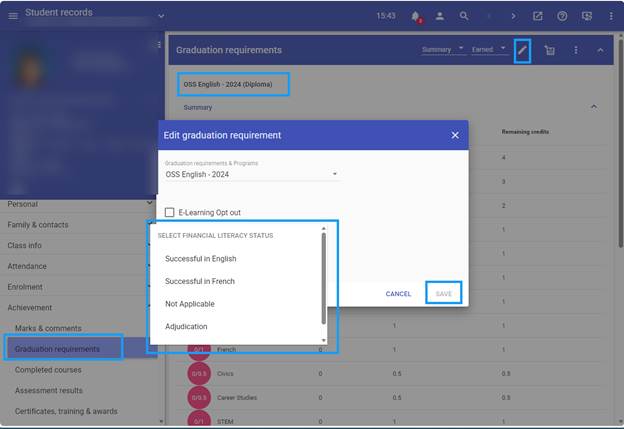
Add the correct Diploma Requirement to each student.
Step 2
Scroll down to the Other Requirements section. In that area, you will see Financial Literacy Status.
Step 3
To enter the student’s status, select Edit Graduation Requirements. From the drop-down menu, select the appropriate status achieved.
Once you have completed these steps, the student’s Financial Literacy Status will be updated in their record.